Plan the drive
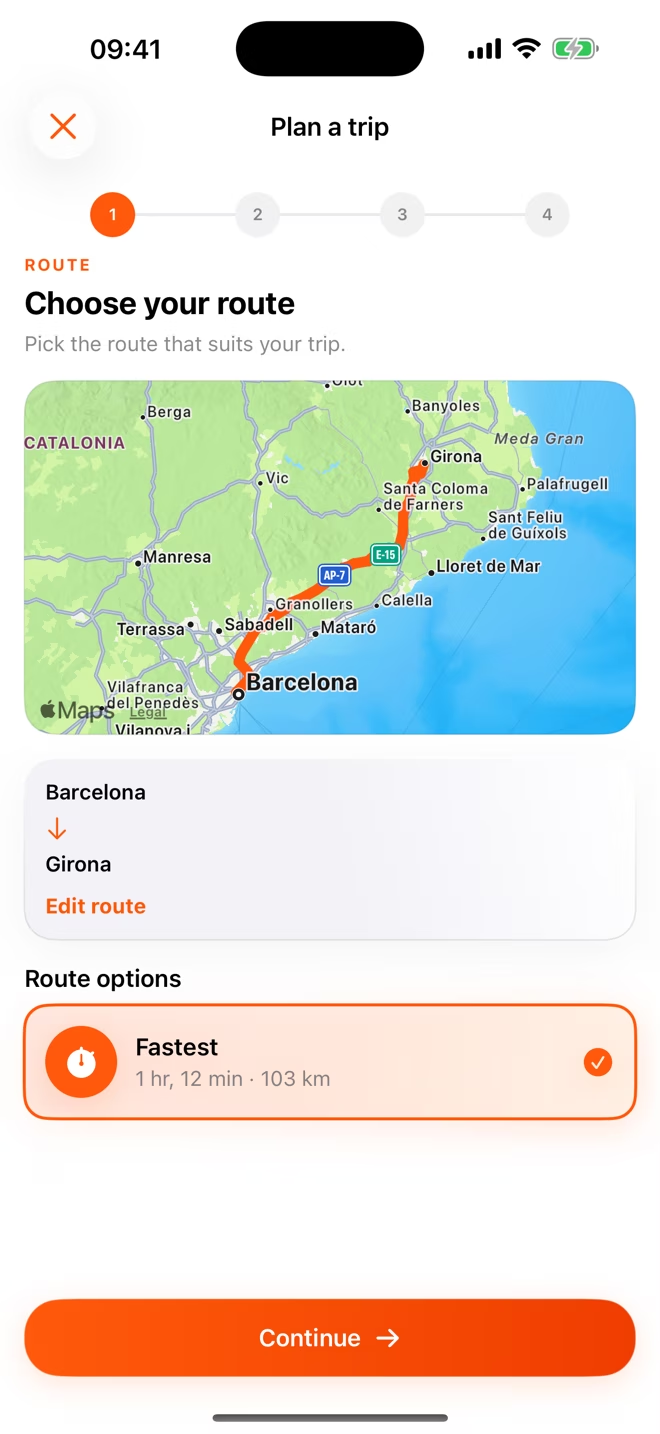
Choose a real Apple Maps route, add stops and select the vehicle you are taking.
Made for shared journeys
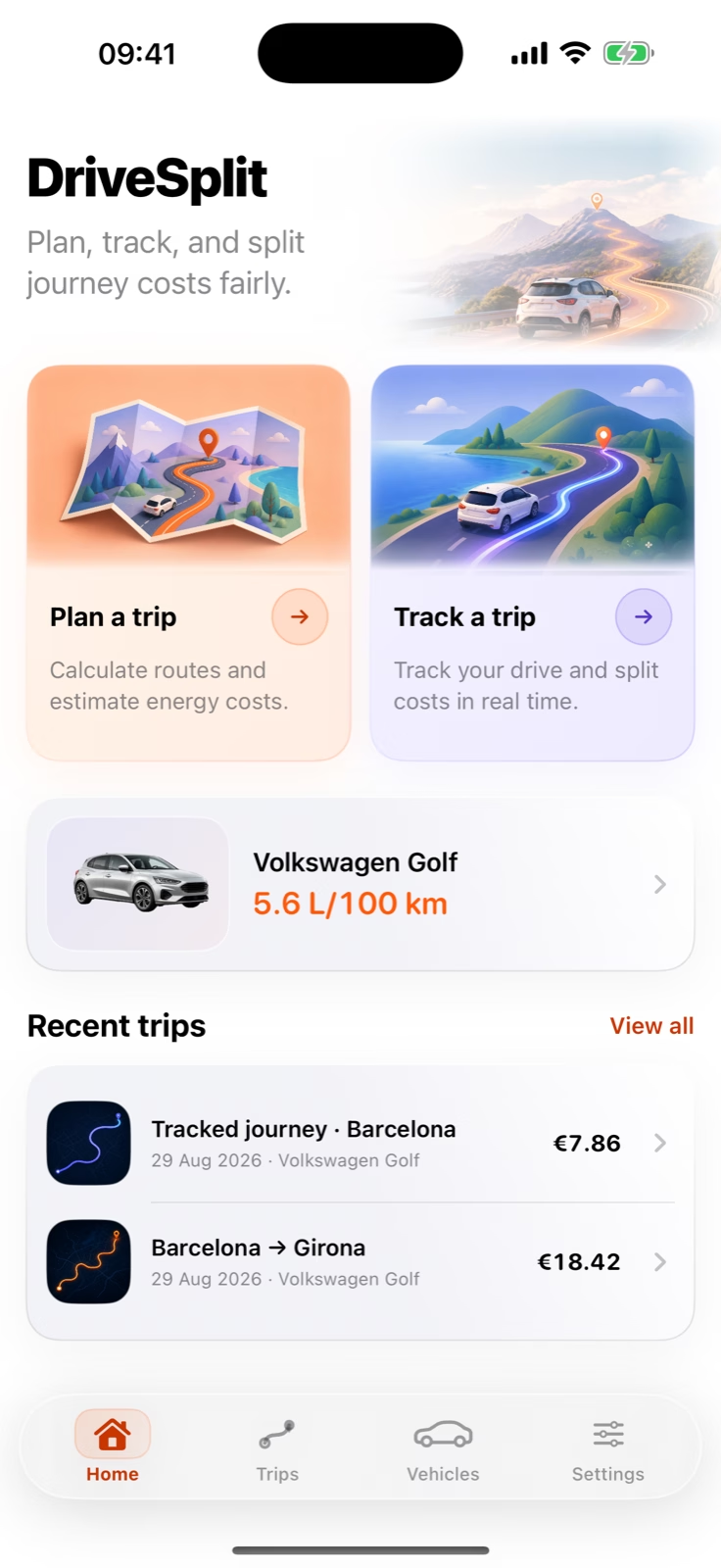
DriveSplit is an iPhone app for calculating and fairly splitting car-trip costs between passengers. Plan a route or track the drive, add fuel or EV charging, tolls, parking and extras, then see exactly what each person should pay.
For the everyday lift and the long way home.
How it works
DriveSplit keeps the decisions visible, so the answer never feels like unexplained maths.
Choose a real Apple Maps route, add stops and select the vehicle you are taking.
Enter the fuel or charging price, then include tolls, parking and other expenses.
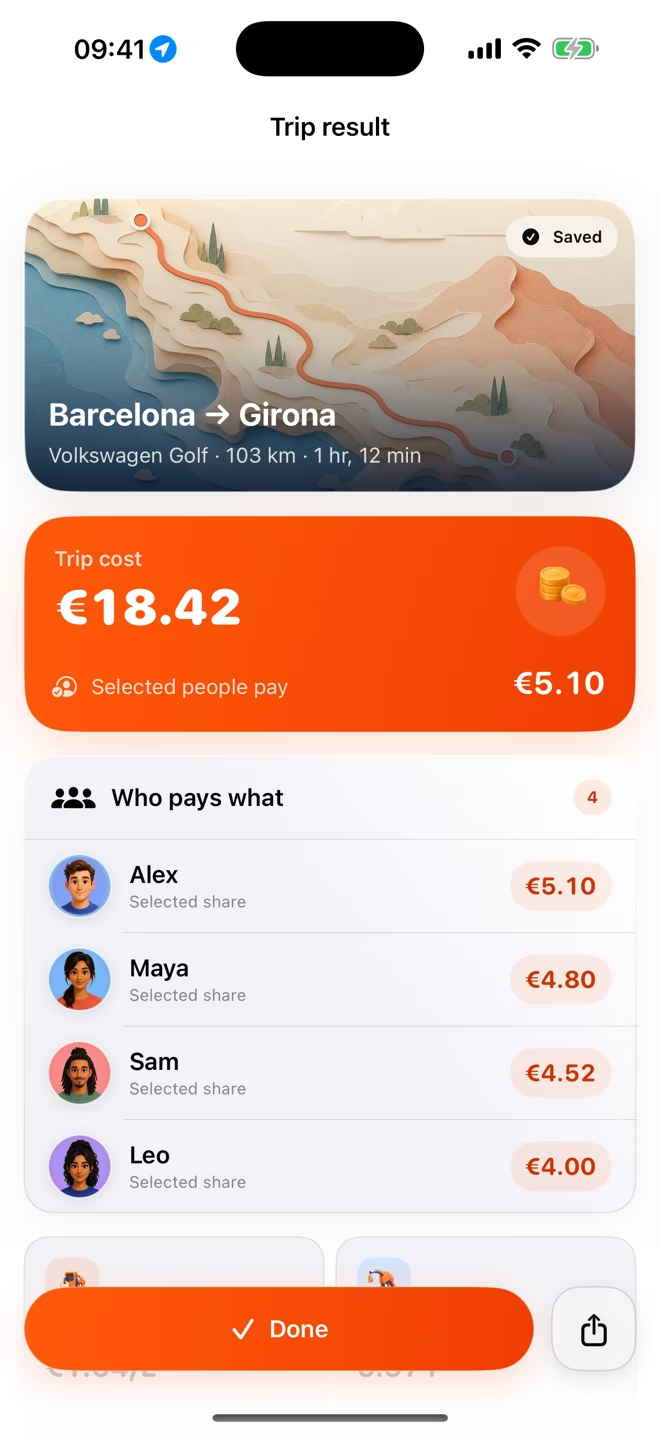
Split between everyone, passengers only or selected people, then review every share.
Search an origin, destination and ordered stops. Compare Apple Maps route options, choose one and calculate from its expected distance.
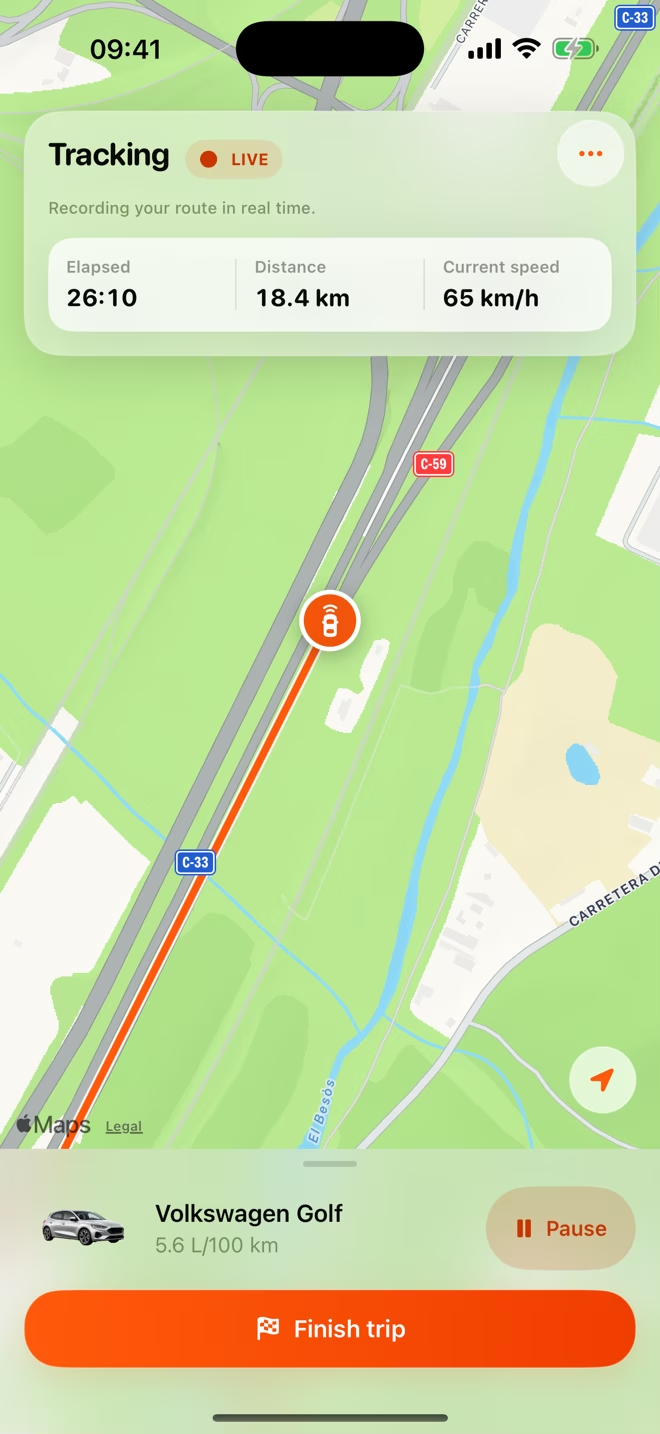
Record actual distance and route history while elapsed time and current speed stay visible. Pause, resume and finish when the trip calls for it.
Built for the whole journey
Plan an A-to-B drive, add ordered stops and compare real route alternatives.
Record the route and distance you drive, with a focused screen designed for an active trip.
Fuel or electricity, tolls, parking and extras feed one transparent result.
Include everyone, exclude the driver or select exactly who contributes.
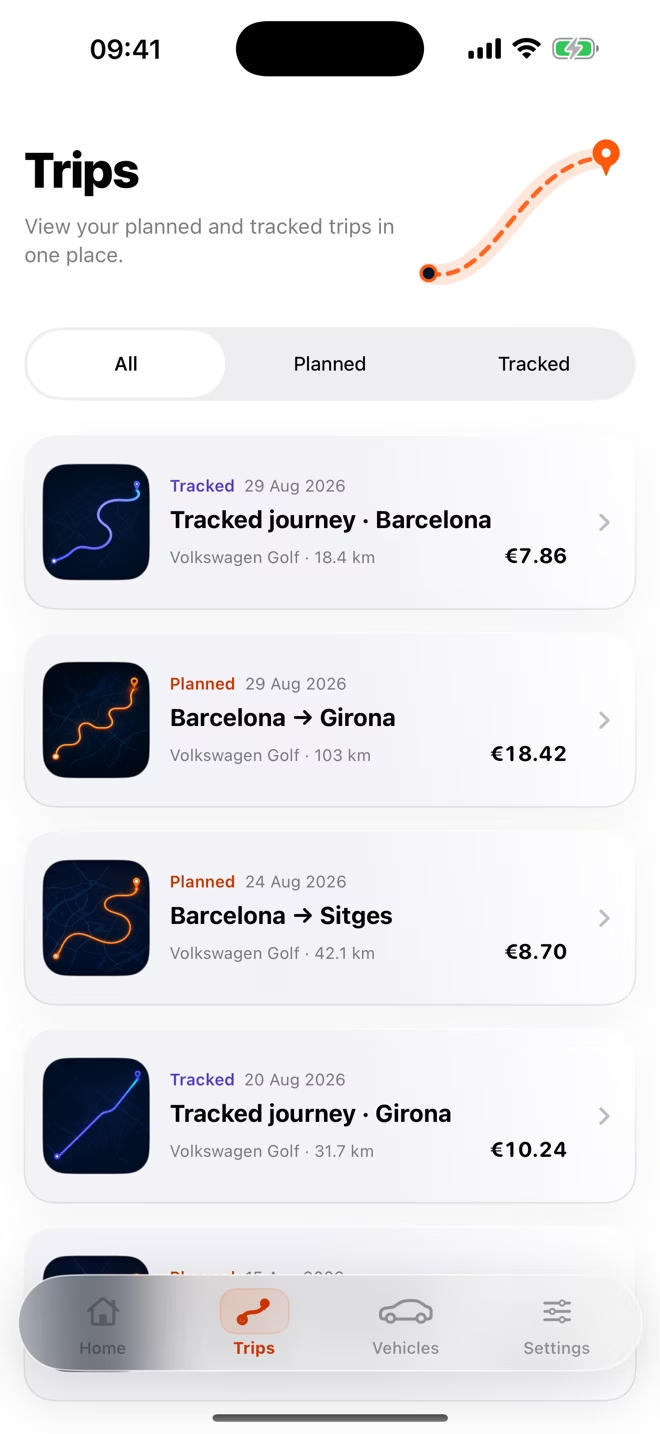
Keep planned and tracked trips together, share the result and review payment status.
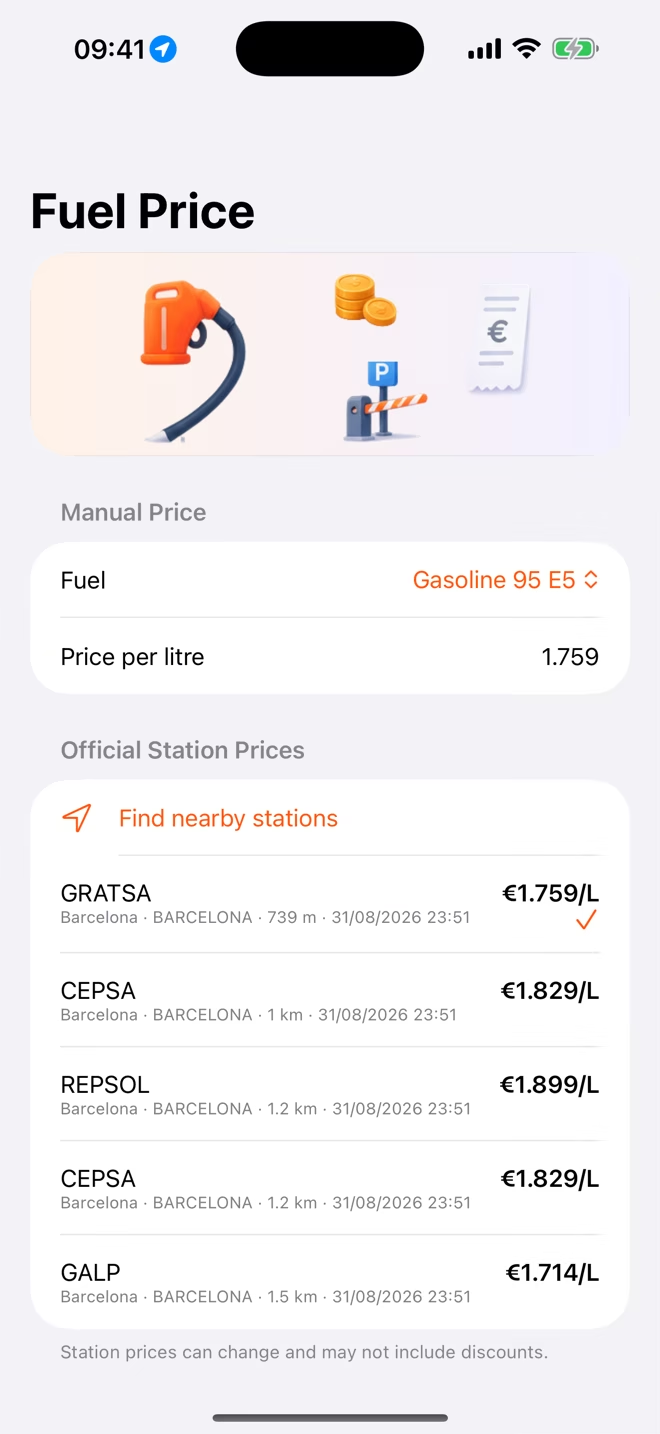
Request compatible station prices nearby, with manual entry always available.
Record passenger pickups and drop-offs so each share can follow the distance travelled.
No DriveSplit account, ads or developer analytics. Network use is explained clearly.
People and trip groups
Save the people who travel together, choose or change the driver and decide exactly who contributes. On tracked trips, pickups and drop-offs can preserve who travelled which part.




Someone joins halfway? Record the pickup or drop-off instead of treating every passenger as if they travelled the full route.
See how distance-based splitting worksThe real app, not a concept
Scroll through a real DriveSplit journey. The iPhone stays in view while each current product screen takes its turn.
Search an origin, destination and stops, compare Apple Maps routes and select the one the group expects to use.
Use GPS distance, route history, elapsed time and current speed. Pause, resume and finish without turning DriveSplit into a navigation app.
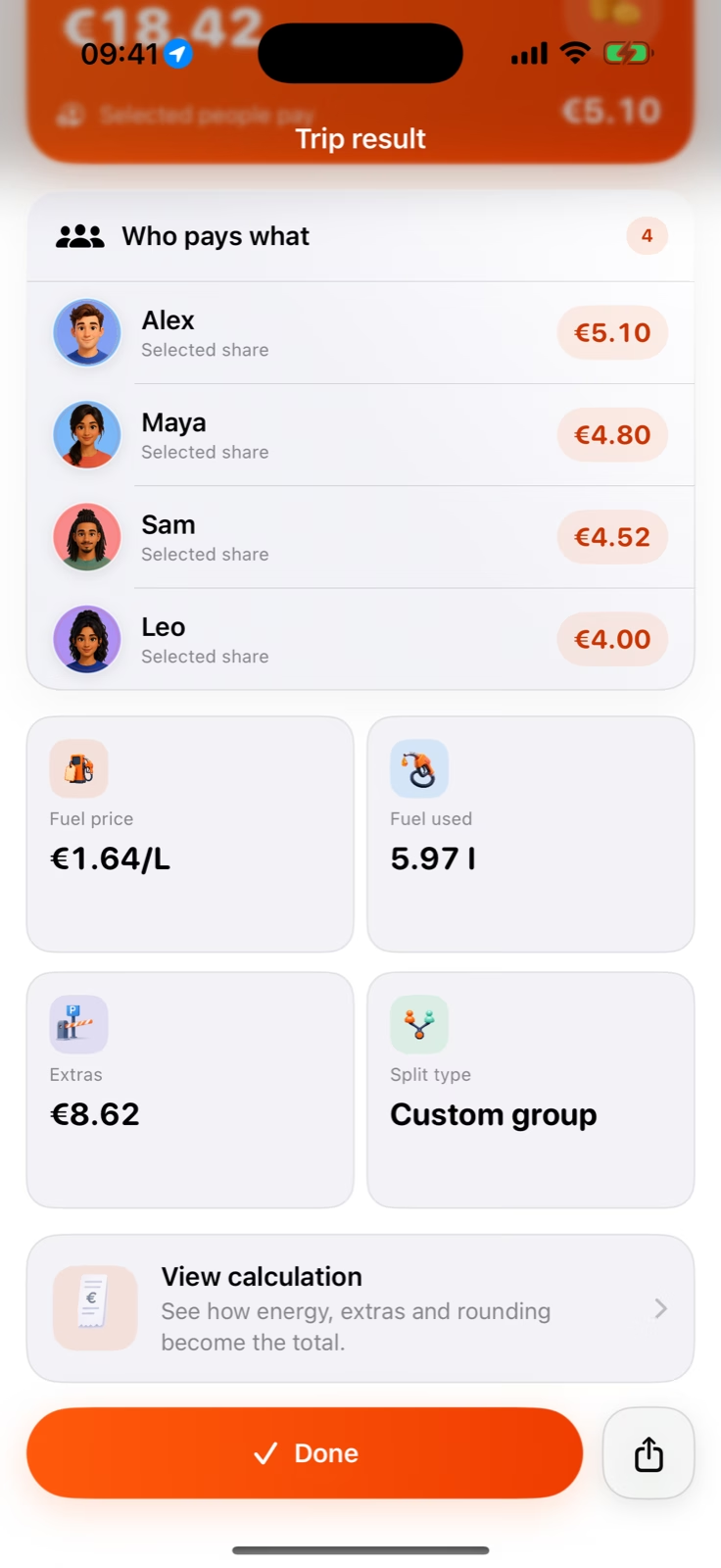
Distance, consumption, energy price, tolls, parking and extras become energy used, energy cost and one inspectable trip total.
Split between everyone, passengers only or selected payers. The driver can stay in the trip without being included in payment.
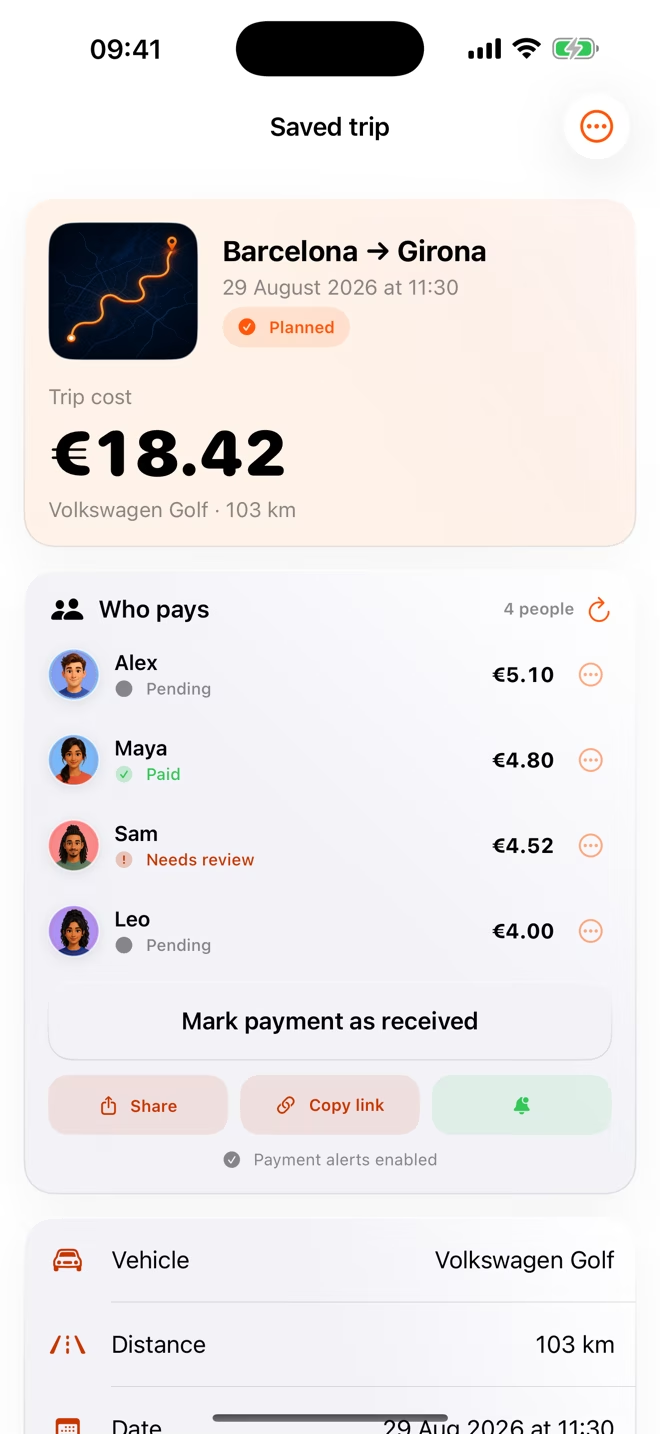
Copy the seven-day recipient link. Recipients can submit a paid claim; the trip owner can review payment status and enable payment alerts.
Return to saved journeys, see which mode created each result and reopen the calculation and sharing details.
Manual fuel price entry always works. With Pro and location permission, DriveSplit can request compatible nearby prices from Spain’s official public data; displayed prices can be delayed or differ from the pump.
Real inputs. Clear maths.
DriveSplit shows the distance, consumption, price, extras and split behind the answer. Planned trips can use route distance; tracked trips can use the distance actually recorded.
Read the full methodologyThis is an example, not a promise of exact cost. Use measured consumption, receipts and real prices when you know them; real driving conditions can still differ.
Free or Pro
The core calculation stays useful without Pro. Upgrade for measured journeys, official nearby price convenience and deeper control.
StoreKit shows the current products and localized prices inside the app.

Real journeys, different agreements
A weekend away might be a simple four-way split. An airport run might leave the driver out. On a tracked group journey, people can get in and out along the way.
Local-first, honest about the network
Vehicles, trip inputs and saved results are stored on your iPhone. DriveSplit has no account, ads or developer analytics.
Before you start
No. DriveSplit has no developer-run account system. You can plan a route, enter values manually and keep saved app data on your iPhone.
It is a transparent estimate based on the route, consumption, energy price, extras and split you choose. Real traffic, driving style, pump prices and receipts can differ, so check the inputs before paying.
Yes. Planned estimates and manual fuel or charging prices remain available. Location is requested for GPS-tracked trips and nearby-station searches.
With Pro and location permission, DriveSplit sends a nearby request—including coordinates, radius and fuel type—to its service and returns compatible official prices where supported. Data can be delayed or differ from the pump.
Divide the journey into the ranges where the paying group changes, then charge each range only to the people travelling then. On a Pro tracked journey, DriveSplit can record pickups and drop-offs and calculate those distance-aware shares.
Planning, manual prices, extras, trip groups, flexible splits, one vehicle, history, sharing and payment status are free. Pro adds GPS tracking, unlimited vehicles, nearby official price convenience and advanced distance and consumption controls.
The seven-day recipient link can show the route, vehicle, calculation, participant labels and shares. Anyone with the link can open it until it expires. Payment status is only a record; DriveSplit does not process money.
No. Its calculation runs in your browser, and DriveSplit does not save or send the distance, consumption, prices, extras or participant count you enter there.
Ready for the next drive
Join the Android waitlist or try the calculator now.